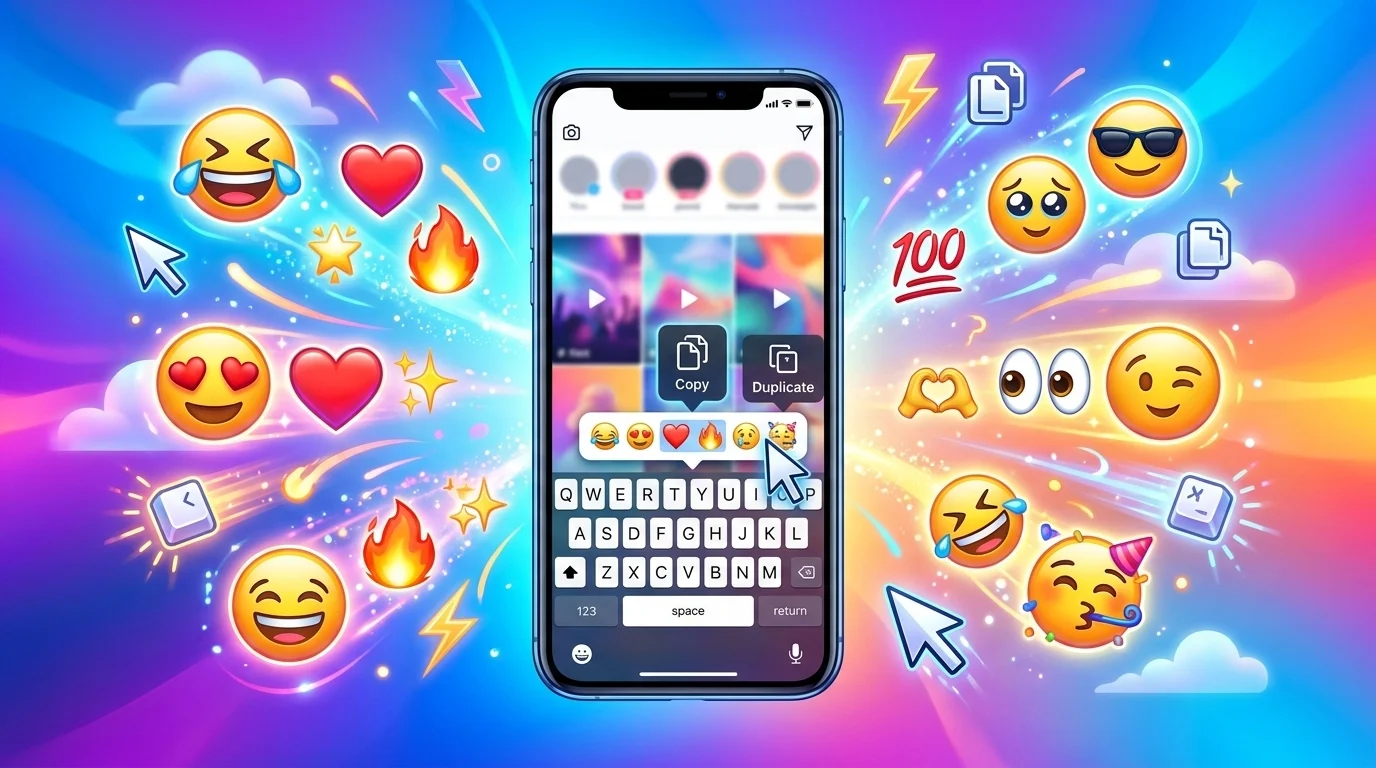
If you are looking for TikTok emoji copy and paste options, you probably want fun emojis that you can quickly add to TikTok captions, comments, bios, usernames, messages, or video descriptions. Fortunately, you do not need a special tool or complicated setup. You can simply copy an emoji from this page and paste it wherever you want.
TikTok emojis can help you express emotions, highlight important words, make captions more attractive, and give your content a more personal style. Moreover, you can combine several emojis to create moods, reactions, jokes, and creative caption ideas.
This guide explains how TikTok emoji copy and paste works, which emojis you can use, how to combine them, and what to do when an emoji does not display correctly.
Quick Answer: TikTok Emoji Copy and Paste
To copy a TikTok emoji, choose an emoji from the list below, select it, copy it, and paste it into TikTok.
Here are some popular options:
Happy and Fun:
😀 😃 😄 😁 😆 😂 🤣 😊 😍 🥰 😎 🤩 🥳
Love and Romance:
❤️ 🩷 🧡 💛 💚 💙 💜 🖤 🤍 💕 💖 💗 💓 💘 😘
Reactions:
👍 👎 👏 🙌 👀 🤔 😭 😂 😱 😮 😳 🤯 🙄
Cute:
🥹 🥺 🐰 🐻 🐱 🐶 🦋 🌸 🌷 ✨ 💕 🎀
Aesthetic:
♡ ♥︎ ☆ ★ ✦ ✧ ✨ ☾ ☀︎ ❀ ❁ 𓆩♡𓆪
Fire and Energy:
🔥 ⚡ 💥 🚀 💯 🥵 😈 👑 💪
Simply copy the emoji you want and paste it into your TikTok caption, comment, bio, or message.
What Does TikTok Emoji Copy and Paste Mean?
“TikTok emoji copy and paste” simply means finding emojis or symbols that you can copy from one place and paste directly into TikTok.
Unlike regular words, emojis provide a quick visual way to communicate feelings and ideas. For example, instead of writing “That video was amazing,” you can write:
That video was amazing 🔥🔥🔥
Similarly, you can add:
😍✨❤️
to show excitement or admiration without writing a long sentence.
TikTok supports a wide range of standard emojis. Therefore, you can use familiar faces, hearts, animals, food, objects, gestures, symbols, and many other characters.
However, the exact appearance can vary depending on the device, operating system, and app version.
How to Copy and Paste Emojis on TikTok
Copying and pasting an emoji takes only a few seconds.
On a Phone
Follow these steps:
- Find the emoji you want to use.
- Press and hold the emoji.
- Select Copy.
- Open TikTok.
- Go to your caption, comment, bio, or message.
- Press and hold in the text area.
- Select Paste.
- Post or save your content.
For example, copy:
🔥✨💯
Then paste it into a TikTok caption:
New video is finally here 🔥✨💯
On a Computer
If you use TikTok through a web browser, you can also copy and paste emojis.
Select the emoji with your mouse, press Ctrl + C on Windows or Command + C on Mac, and then paste it using Ctrl + V or Command + V.
This method works especially well when you prepare TikTok captions on a computer.
Best TikTok Emojis to Copy and Paste
Different emojis work well for different types of TikTok content. Consequently, choosing the right ones can make your caption feel more natural.
Popular TikTok Emojis
😀 😂 😍 🔥 ✨ ❤️ 💀 😭 👀 🤔 😭 💯 🥹 🙏 🤣
These emojis often work well in casual videos, reaction posts, jokes, and everyday captions.
TikTok Love Emojis
❤️ 🩷 🧡 💛 💚 💙 💜 🖤 🤍
💕 💞 💓 💗 💖 💘 💝
😍 🥰 😘 🫶
Use these when your TikTok involves relationships, appreciation, friendship, or romantic content.
Example:
My favorite person forever 🥰❤️🫶
Funny TikTok Emojis
😂 🤣 😭 💀 😭😂 🤡 🙃 😭💀
These emojis can make a funny caption feel more expressive.
For example:
I really thought I could do it 😭💀
Or:
Me pretending everything is fine 🤡😂
Aesthetic TikTok Emojis
If you want a softer or more decorative style, try:
♡ ♥︎ ☆ ★ ✦ ✧ ❀ ❁ ✿
☾ ☀︎ ✨ 🦋 🌸 🌷 🪷 🎀
These symbols work particularly well in aesthetic captions, usernames, profile bios, and lifestyle content.
Cute TikTok Emojis
🥹 🥺 🐰 🐻 🐱 🐶 🦋 🌸 🎀 💕 🩷 ✨
For example:
Just a little happy today 🥹🌸🩷✨
TikTok Emoji Combinations You Can Copy and Paste
Combining emojis can create a stronger visual message than using one emoji alone.
Here are some ready-to-copy combinations:
Love:
❤️🫶🥰✨
Best friends:
👯♀️🫶😂💖
Good vibes:
✨🌸☀️💖🦋
Confidence:
😎🔥💯👑
Funny reaction:
😂😭💀
Surprised:
😳😱👀
Excited:
🤩🥳🔥✨
Sad mood:
🥺💔😭
Summer:
☀️🌊🏖️🕶️🍉
Travel:
✈️🌎📸🧳✨
Food:
🍕🍔🍟🤤🔥
Gaming:
🎮🔥🏆👾⚡
Because combinations tell a more complete visual story, they can work especially well in short TikTok captions.
TikTok Emojis for Captions
A good emoji can support your caption without taking attention away from the message.
For example:
POV: You finally finished the assignment 😭📚✨
Weekend mode activated 😎☀️🔥
This song is everything ❤️🎶✨
Nobody warned me about this 😂💀
Main character energy 👑✨🔥
You can place emojis at the beginning, middle, or end of a caption. However, keeping them close to the related phrase usually makes the meaning easier to understand.
TikTok Emojis for Comments
Comments often benefit from short emoji reactions.
Instead of writing a full sentence, you can respond with:
🔥🔥🔥
😭😭😭
😂💀
😍😍
👏👏👏
👀👀
This is so good 🔥
I cannot stop laughing 😂😭
These quick responses make it easier to react naturally to videos.
TikTok Emojis for Bios
You can also use emojis in your TikTok bio to create visual sections or highlight interests.
For example:
🎵 Music lover | 📸 Photography | ✈️ Travel
Or:
✨ Creating memories
🎬 Video creator
☕ Coffee
A few carefully chosen emojis can make a bio easier to scan. At the same time, using too many can make it look crowded.
TikTok Symbols You Can Copy and Paste
TikTok users often search for symbols alongside emojis because symbols can create a different visual style.
Here are some popular ones:
Hearts:
♡ ♥︎ ❤︎ ❥ ღ
Stars:
★ ☆ ✦ ✧ ✨
Flowers:
❀ ✿ ❁ ❃ ❋
Decorative:
୨୧ ꧁ ꧂ 𓆩 𓆪
Arrows:
→ ➜ ➤ ➳
Music:
♪ ♫ ♬
These symbols can work well in bios, captions, display names, and aesthetic posts.
Emoji vs. TikTok Symbols
Although people often use the words interchangeably, emojis and symbols are not exactly the same.
| Feature | Emojis | Symbols |
|---|---|---|
| Appearance | Colorful pictographs | Often simple characters |
| Examples | ❤️ 😂 🔥 🥹 | ♡ ★ ☆ → |
| Best for | Emotions and reactions | Decoration and style |
| Common use | Captions and comments | Bios, names, captions |
| Device differences | Can vary significantly | Usually more consistent |
Therefore, choose emojis when you want to communicate an emotion or object. Choose symbols when you want to add decoration or a particular visual style.
Why Do Some Emojis Look Different on TikTok?
You may notice that an emoji looks different on your phone compared with another person’s phone.
That happens because different platforms and operating systems can use different emoji designs. Unicode defines the underlying character, but companies create their own visual versions.
For example, the same heart emoji can have slightly different shapes or colors across devices.
The meaning usually stays the same even when the design changes.
What If an Emoji Does Not Work?
Sometimes a copied symbol or emoji may appear as a blank box, question mark, or unsupported character.
Several reasons can cause this problem.
1. The Emoji Is Too New
New emojis may not appear correctly on older operating systems or app versions.
2. The Character Is Not Fully Supported
Some decorative Unicode symbols may not work everywhere.
3. The App Needs an Update
An outdated TikTok app can sometimes create display problems.
4. The Device Uses an Older Font
Your device may not contain the font or character information required to display a particular symbol.
If an emoji does not work, try a common standard emoji instead. For example, use ❤️ instead of an unusual heart symbol if compatibility matters.
Common TikTok Emoji Copy and Paste Mistakes
Although copying emojis looks simple, users sometimes run into avoidable problems.
Using Too Many Emojis
A caption full of emojis can become difficult to read.
Instead of:
OMG 🔥🔥🔥😍😍😍😂😂😂❤️❤️❤️✨✨✨💯💯💯
try:
This was amazing 🔥😍✨
The second version communicates the same excitement more clearly.
Using an Emoji Without Understanding It
Some emojis have meanings that differ from what people expect. Before using an unfamiliar emoji, check its common meaning and context.
Copying Invisible Characters
Some decorative text generators use unusual Unicode characters. They may look attractive but can behave differently across devices.
Ignoring the Caption’s Tone
A serious or emotional post may not suit a long row of laughing or playful emojis.
Instead, match your emoji choice to the message.
Tips for Using TikTok Emojis Naturally
First, choose emojis that support your message. Do not add them simply because they look colorful.
Second, use combinations when you want to create a specific mood. For instance, ✨🦋🌸 gives a soft aesthetic feeling, while 🔥💯⚡ feels energetic.
Third, place emojis where readers can understand their purpose quickly.
Fourth, save your favorite combinations somewhere convenient if you use them regularly.
Finally, test unusual symbols before using them in an important bio or caption. That way, you can make sure they display correctly.
Frequently Asked Questions
1. How do I copy and paste emojis on TikTok?
Find the emoji you want, press and hold it, select Copy, then open TikTok and choose Paste in the caption, comment, bio, or message field.
2. Can I copy emojis from this page to TikTok?
Yes. You can select a standard emoji or symbol, copy it, and paste it into supported TikTok text fields.
3. What are the most popular TikTok emojis?
Popular choices include 😂, 😭, ❤️, 🔥, ✨, 😍, 👀, 💀, 🥹, 💯, and 🫶. However, popularity can change with trends and communities.
4. Can I use emojis in my TikTok bio?
Yes. Emojis can help organize your bio, highlight interests, and add personality. Keep the number reasonable so your bio remains easy to read.
5. Why does my copied emoji look different?
Emoji designs can vary between operating systems, devices, and platforms. The same Unicode emoji may therefore have a different visual appearance.
6. Why does an emoji appear as a box on TikTok?
Your device or app may not support that character. Updating TikTok and your operating system can help, although some newer or unusual characters may still have limited support.
7. Can I use TikTok emojis in comments?
Yes. Standard emojis work well in comments, and many users use short combinations such as 🔥🔥, 😂😭, 👀, or 👏👏 to react to videos.
8. Are TikTok emojis free to copy and paste?
Standard Unicode emojis are characters that you can generally copy and paste without paying for a special emoji keyboard. However, third-party apps, fonts, or tools may have their own terms.
Conclusion
TikTok emoji copy and paste makes it easy to add personality, emotion, and visual style to your TikTok content. Whether you need a heart for a sweet caption, a laughing emoji for a funny comment, or a combination such as 🔥✨💯 for an exciting video, you can copy the characters and paste them directly into supported TikTok fields.
Most importantly, choose emojis that match your message and use them naturally. Start with familiar emojis, test unusual symbols before publishing, and avoid filling every caption with excessive characters. With the right combinations, a few simple emojis can make your TikTok captions, comments, and bio feel much more expressive.

I am Willie Michael, an author passionate about language and clear communication. I enjoy exploring synonyms and helping readers discover better, more precise words for everyday writing.